In 2026, having an online presence is no longer a competitive advantage — it is a condition for survival.
The web has reached an unprecedented level of saturation. According to cross-referenced data from Statista and the Global Digital Report, more than 95% of businesses now have a website or an active digital presence. This widespread adoption has fundamentally changed the rules of the game.
Simply being online no longer creates differentiation. Competition now revolves around the ability to capture attention, retain it, and above all convert it into measurable action in an environment dominated by content overload. In this context, a website redesign can no longer be approached as a simple visual refresh. It is a major strategic pivot that impacts SEO visibility, brand credibility, and commercial performance for years to come.
At Knok Studios, we have been supporting businesses through these critical transitions for years. Our expertise is built on a strong conviction: a successful website redesign is the precise alignment of a modern technical architecture, rigorous SEO standards, and authentic brand storytelling.
Why redesign your website in 2026?
If your site has not undergone a structural redesign in the last 18 to 24 months, it is very likely already misaligned with current web standards. This obsolescence is now accelerated by the simultaneous evolution of technologies, user behaviors, and algorithms.
1. Technical obsolescence and security
According to CVE Details, more than 60% of exploited vulnerabilities involve unmaintained software environments. Aging CMSs, outdated PHP versions, abandoned plugins, or deprecated TLS protocols create security gaps as well as performance issues: slow server response times, instability, crawl errors, and indirect SEO penalties. A redesign is often the only realistic opportunity to clean up the entire technical stack without piling on temporary fixes.
2. Originality vs. AI-generated content saturation
In 2026, Google is facing a massive explosion of automatically generated content. The search engine explicitly prioritizes content that demonstrates real lived experience, identifiable expertise, and genuine human value (Google – Helpful Content). According to Backlinko, pages that include original videos increase average session duration by 80% to 120%, a behavioral signal strongly correlated with SEO performance. A redesign makes it possible to integrate these formats from the ground up—something that is often impossible to do cleanly on legacy architectures.
3. Stricter Core Web Vitals requirements
Since the introduction of INP (Interaction to Next Paint), Google considers that a site with interactions exceeding 1.5 seconds delivers a degraded user experience (Chrome Developers). INP issues are largely structural: legacy JavaScript, bloated DOMs, heavy dependencies. They are rarely fixable without a full redesign.
The SEO checklist for a successful website redesign (10 key steps)
1. Strategic alignment and governance
SEO must not be a “layer” added at the end—it is one of the structural pillars of a redesign project.
- Dialogue and moodboards: Organize workshops to define shared visual references. Use AI to quickly generate visuals and preliminary mockups to validate direction before development. This helps avoid the “blank page syndrome,” which delays projects by an average of 25%.
- SEO charter definition: Draft a contractual document stating that any URL change, tag structure modification, or content removal must be validated by the SEO expert. In 2026, structured data consistency is as critical as the text itself.
- Collaborative steering: Centralize discussions using tools like Notion or Jira so that each mockup is audited from an SEO perspective before production. The cost of fixing an SEO error after development is 10 times higher than fixing it during the design phase.
2. Audit of the existing site (the complete snapshot)
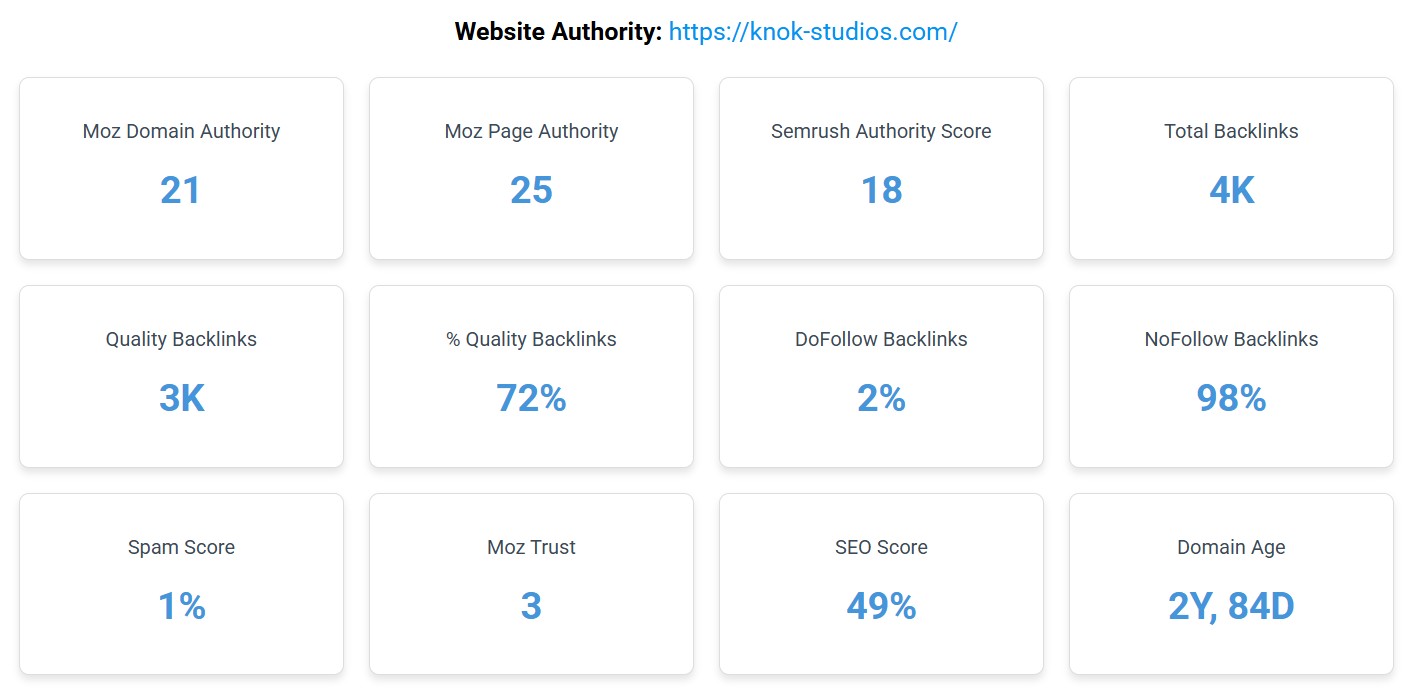
You can’t protect what you don’t understand. Data loss during a redesign is the leading cause of revenue drops.
- Authority and history analysis: Review the evolution of your Domain Authority, historical traffic curves, and conversion rates per page to identify what truly drives your business—and ensure you outperform it in the future.
- Comprehensive technical inventory: List all current URLs, title/meta tags, image alt texts, and structured data (Schema.org), or export them into an Excel file or database. According to Google, visual content (images/videos) now represents a growing share of indexing (Source: Google Search Central).
- Backlink identification: Identify the pages receiving the most external links. These are your “crown jewels”; any redirection error on them would destroy your authority. A single lost backlink can cause a keyword to drop 3 to 5 positions within days.
3. Keyword mapping and 2026 intent
Search intent evolves—your targeting must evolve with it. In 2026, search engines prioritize “intent satisfaction” over simple keyword repetition.
- Search intent analysis: If a page ranked for informational intent (advice), do not turn it into a purely commercial page during the redesign, or you risk losing rankings. 82% of users abandon a site if the content does not match their initial intent (Source: Search Engine Journal).
- Anticipating 2026 trends: Check whether new AI-related or behavioral keywords should be integrated into your new site structure. The rise of SGE (Search Generative Experience) demands more structured and direct content.
- URL assignment: Create a mapping document specifying which old or new URL targets each primary keyword to avoid cannibalization.
4. Content audit and pruning
- Low-quality content cleanup: Identify pages that generate neither traffic nor conversions (“zombie pages”) and delete, merge (with redirection), or improve them. A lighter, higher-quality site helps guide crawlers toward strategic content for faster indexing.
- E-E-A-T reinforcement: In 2026, Google requires proof of expertise. Update your “About” pages, author bios, and link them to real social profiles. Experience and expertise are the strongest signals to counter AI-generated spam.
- Multimedia optimization: Replace outdated visuals with original content (demo videos, custom infographics) to meet Helpful Content quality standards.
5. Architecture and internal linking
The architecture must be intuitive for humans and readable for crawlers.
- Thematic siloing: Organize your site into tight silos (clusters) to reinforce semantic authority on each topic, with a “pillar” page and a constellation of related content. Sites using topic clustering see an average 50% increase in organic traffic (Source: Terakeet).
- Breadcrumb optimization: Ensure breadcrumbs are present on every page, clear for users, and properly marked up for search engines to improve navigation.
- Strategic internal linking: Use the redesign to create logical internal links between pillar pages and in-depth articles to better distribute “SEO juice.”
6. The 301 redirection plan (your lifeline)
This is where traffic survival is decided. A poorly configured redirect doesn’t just lose users—it can cause a permanent 15–20% drop in PageRank.
- One-to-one mapping and semantic continuity: Each old URL must point to the most thematically relevant page on the new site. Avoid mass redirects to the homepage. Google classifies this as a “Soft 404” and will ignore the redirect if the destination content is unrelated (Source: Google Search Central).
- Eliminating 404 errors and loops: Forgotten pages returning 404 errors degrade UX and SEO. Before launch, test the plan on a staging server to detect redirect loops (A → B → A), which instantly block crawlers.
- Securing historical equity transfer: By ensuring each redirect is legitimate and relevant, you send a clear signal to Google that the move is coherent—protecting the transfer of historical rankings.
7. UX, speed, and mobile-first
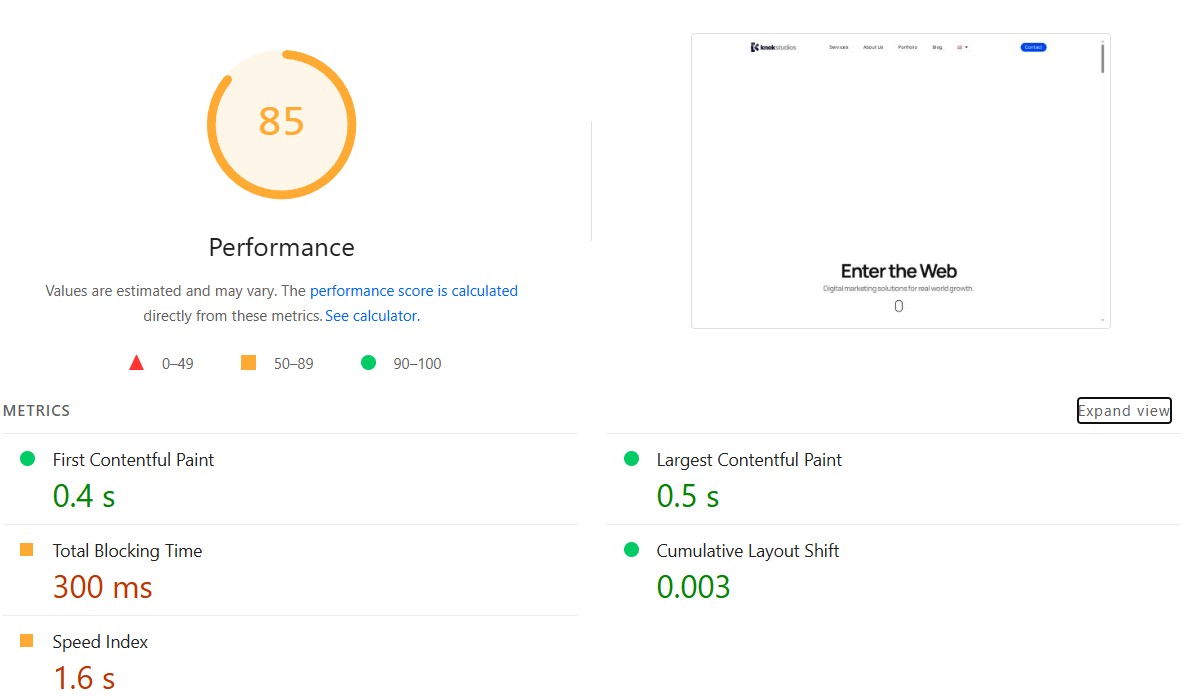
In 2026, user experience is no longer subjective—it is a set of physical metrics tracked by Google.
- Focus on INP (Interaction to Next Paint): This metric measures the delay between a user action (click, tap) and the next visual update. Unlike the old FID, INP analyzes all interactions during a visit. To optimize it, avoid heavy JavaScript that blocks the main thread—every interaction should trigger visual feedback within 200 ms. Poor INP scores can sabotage rankings even with excellent content (Source: web.dev).
- Modern formats and performance: Adopt the AVIF format, which offers 20–30% better compression than WebP without visible quality loss. Combine this with lazy loading for below-the-fold images and videos. A one-second load delay can reduce conversions by 7% (Source: Neil Patel).
- Accessibility (A11y) – concrete standards: An accessible site also improves Google’s NLP understanding. Apply these strict rules:
- Font size: Minimum 16px for body text.
- Contrast: At least 4.5:1 for normal text (WCAG 2.1).
- Touch targets: Buttons must be at least 44×44 pixels.
- Hierarchy: Use proper Hn tag structure (no H3 before an H2).
8. Address change declaration (the forgotten step)
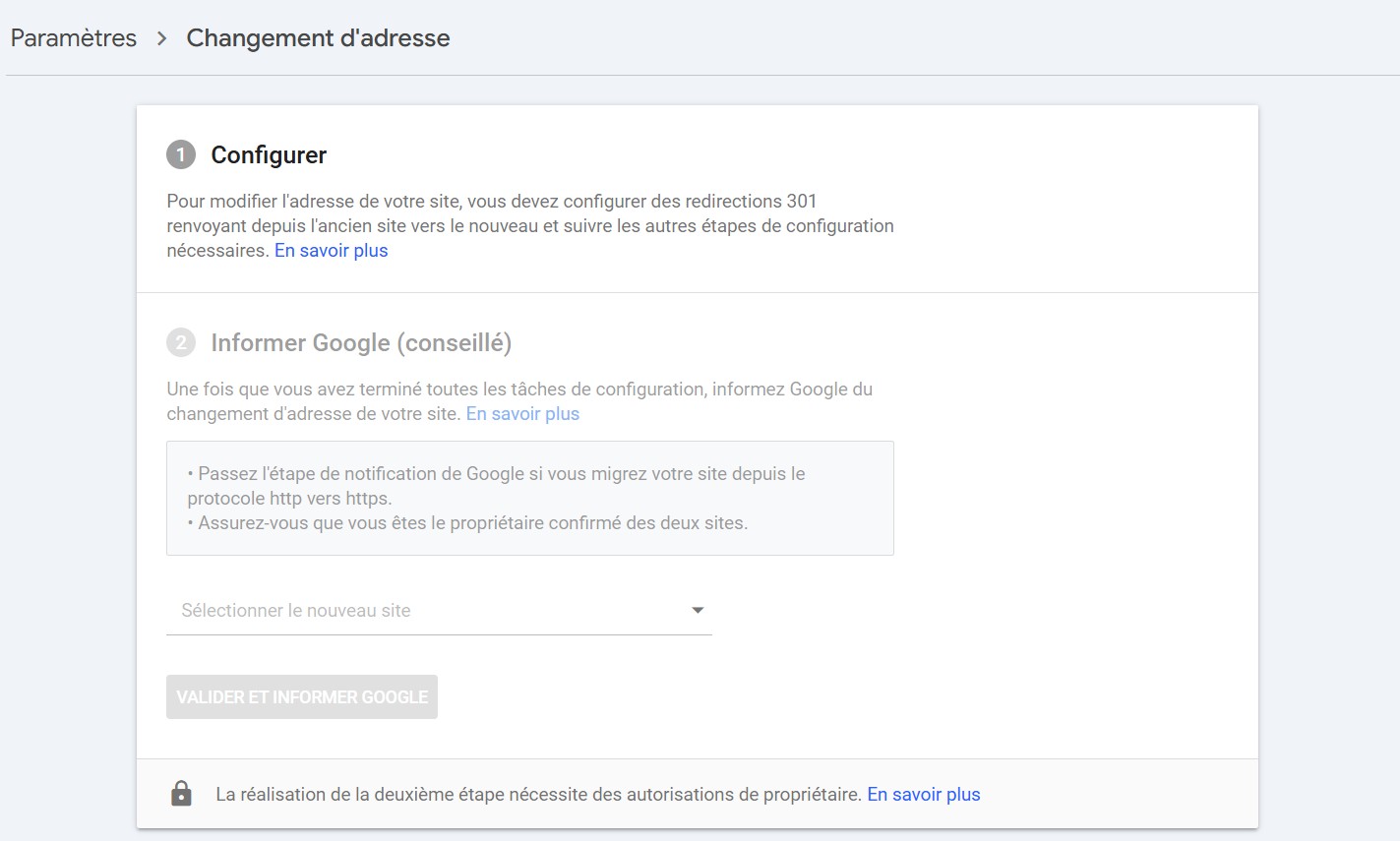
If you change domain or subdomain, this step is critical to avoid starting from scratch.
- GSC validation: Go to Google Search Console > Settings > Change of address.
- Official notification: This tells Google the move is intentional, accelerating trust signal transfer. Without it, full reindexing and ranking recovery can take an additional 3 to 6 months.
- Migration monitoring: This complements but does not replace 301 redirects. Google recommends keeping redirects active for at least one year (Source: Google Search Central).
9. Tracking and sitemaps: double security
Redesign success is measured by data—any tracking break makes post-migration analysis impossible.
- Double sitemap strategy: At launch, submit the new sitemap.xml but keep the old sitemap active for 4–8 weeks to force crawlers to validate 301 redirects faster.
- Robots.txt and llms.txt check: Ensure no inherited staging rules block indexing. In 2026, also verify llms.txt to manage AI agents (GPT-Bot, Claude-Bot) for inclusion in answer engines.
- Tracking verification: Validate GA4 tagging and ad pixels (Meta, LinkedIn). 40% of migrations lose conversion data due to misconfigured tags. Use tools like Tag Assistant.
10. Post-launch audit and monitoring
Launch is not the end—it’s the start of active monitoring.
- Immediate control crawl: Run a full crawl via Screaming Frog or Sitebulb to ensure all strategic URLs return 200 OK.
- Indexation monitoring: Track GSC’s “Page indexing” report daily. New URLs should rise as old ones decline. Spikes in 404 or unsupported redirect errors require fixing within 24 hours.
- Real performance analysis: Compare Core Web Vitals before and after. Faster, more stable sites are 1.5x more likely to see ranking gains within 30 days (Source: Deloitte Digital).
Conclusion
A successful website redesign in 2026 goes far beyond a new look—it relies on a precise balance between technical modernity, inclusive accessibility, and semantic rigor. It is a unique opportunity to transform an aging site into a true marketing powerhouse capable of dominating both traditional search results and AI-generated answers.
Is your technical or visual environment starting to feel outdated? Do you need to implement new features without sacrificing your SEO history?
Don’t leave your visibility to chance. Contact Knok Studios to discuss your redesign project and secure your digital transition.